↗ Right in your notch⌘ Native to your Mac◈ Notes stored locally∞ $12. Yours to keep.
For the moments between everything
You had a thought. Keep going with your day.
Hover over your notch or press ⌥ N. Jot it down. Press ⌘ ↵ and Ink gives a little nod as your note tucks away. Come back to the same note when you need it.
A 30-second story
Every idea gets about 8 seconds.
Then a chat ping, a calendar reminder, a restart prompt and a pile of tabs come for it. Ink catches it first, right from your notch. You never leave the call.
01 / A place for the thought
Small on screen. Room for more.
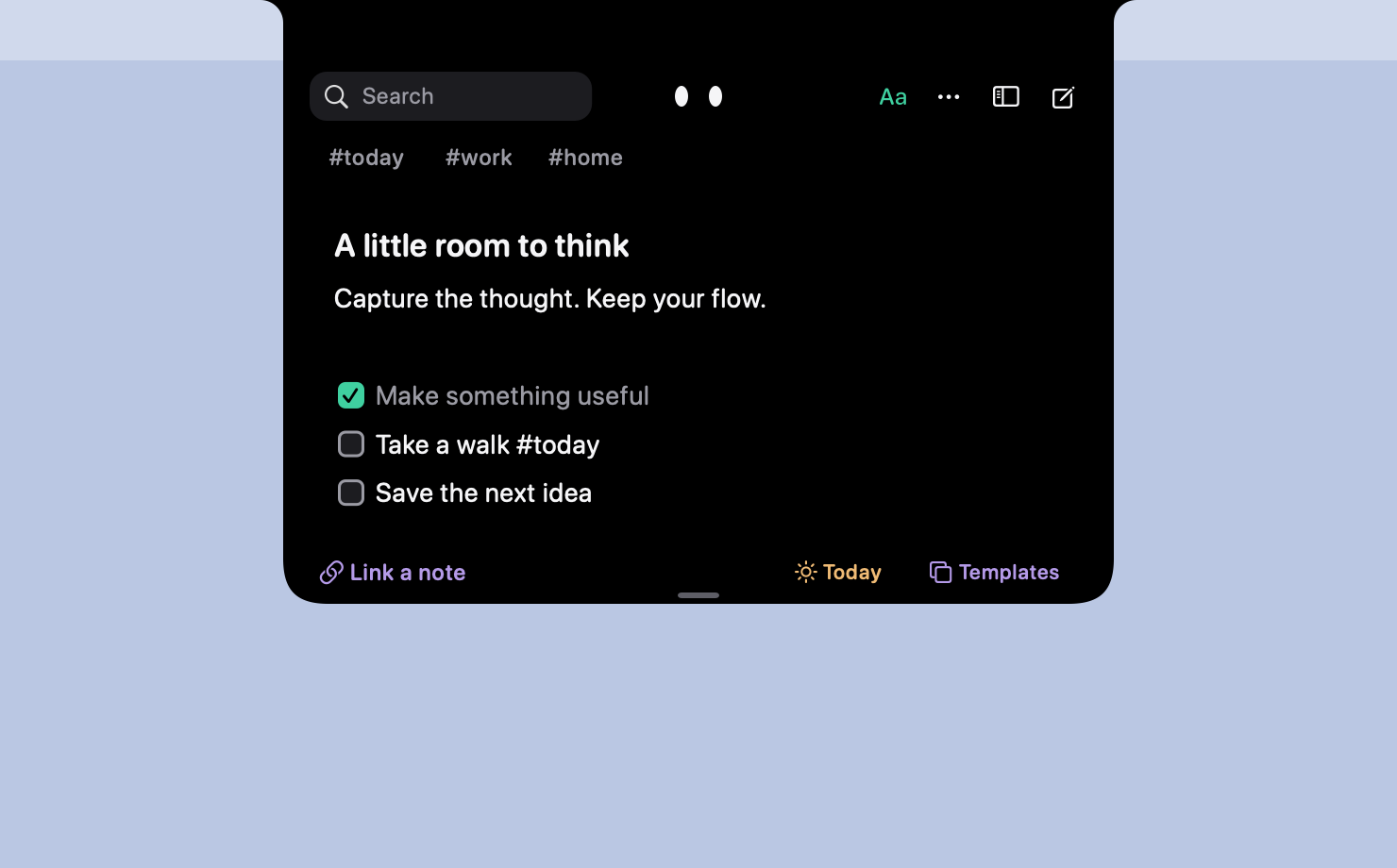
A quick list can become a proper plan. Add headings, checkboxes, links, highlights, quotes, code, and tables, all from the notch.
Two themes. Five accent colors. Your little space.
Actual app preview · Night theme
02 / A little structure▦
From a list to a lovely plan.
Give ideas a little order with tables. Add rows and columns, move with Tab, or paste cells from a spreadsheet.
Little project
Next step
Weekend away
Pick a place ↗
Kitchen garden
Plant the basil
Something new
Start somewhere
03 / A softer start✳
Skip the blank-page stare.
Start with a daily scratchpad, meeting, project, or journal. Make a useful note once, then save it as your own template.
Meeting notes
☀ Daily scratchpad
What’s on your mind?
04 / A way back⌕
Good thoughts don’t get lost.
Pin what matters. Find a phrase. Follow a tag or a link to another note. Revisit a previous version when an idea takes a turn.
⌕ weekend
Weekend plans#home · Pinned
Places for a slow Sunday#small-joys
oh, hello.
A small presence. A little personality.
Meet your quiet little co-thinker
This is Ink. Ink likes your ideas.
A pair of curious eyes lives in your notch. A blink, a glance, a tiny nod when you’re done. Just enough company to make an everyday thing feel a little more human.
Some days call for less company. Choose Lively, Calm, or Still, and make Ink feel right for you.
A good home respects your things
Your words. Your Mac. Your choice.
↙
Local comes first.
Your notes live on your Mac. Writing and searching work offline. Sync between your Macs through your own iCloud if you want it. No Inkling account to create and no analytics tracking.
↗
Take your thoughts with you.
Import Markdown. Export notes as Markdown, rich text, or PDF. Daily local backups give your library another place to land.
♡
Your notes stay yours.
When the trial ends, every note stays yours to read, search, copy, and export. A licence unlocks writing and editing.
Less than a nice notebook
A little home for every thought.
Try everything for 24 hours. If Inkling feels like home, make it yours.
No. Inkling can show a virtual notch on displays without one. It works on Apple silicon and Intel Macs running macOS 14 Sonoma or later.
How do I open and close it?
Hover over the notch or use Option-N to open it. Command-Return saves your changes and tucks it away with a small reaction from Ink. You can customize the shortcuts in Settings.
What happens after the 24-hour trial?
The trial starts when you first open Inkling. After 24 hours, a $12 one-time licence lets you keep writing and editing. Without one, every note stays yours to read, search, copy, and export.
Do my notes sync between Macs?
Yes, if you turn it on. iCloud sync is off by default. Switch it on in Settings → Data on each Mac and your notes, attachments, and custom templates stay in step through your own private iCloud. There is no Inkling account. If two Macs change the same line, Inkling keeps both versions instead of choosing one. Version history and settings stay on each Mac.
Does anything leave my Mac?
Your note library stays on your Mac unless you turn on iCloud sync, which stores it in your own private iCloud so your other Macs can read it. We can’t see it. Inkling contacts Dodo Payments to activate and validate your licence, and Everyday Mac Tools to check for updates. When you capture a web URL, it visits that website to fetch the page title. There is no analytics or advertising tracking. Read Inkling’s privacy details.
How do I install and activate Inkling?
Download and open the signed installer, then follow the macOS installation steps. Open Inkling from Applications and look for the eyes in your notch or menu bar. After purchase, click Inkling’s eyes in your menu bar, choose Enter licence key…, paste the key from your Dodo Payments email, and select Activate.
 Inkling